Install Magic Weather from the App Store on your Apple TV. It shows a photoreal Earth with real clouds, turning slowly, with a clock and the weather for your cities beside it. Swipe the remote's touch surface to turn the Earth, press Play/Pause to stop or resume the rotation, and click the touch surface to open the menu for weather layers, active storms, the solar system and ambient sounds. Premium bought on iPhone works on the TV too.
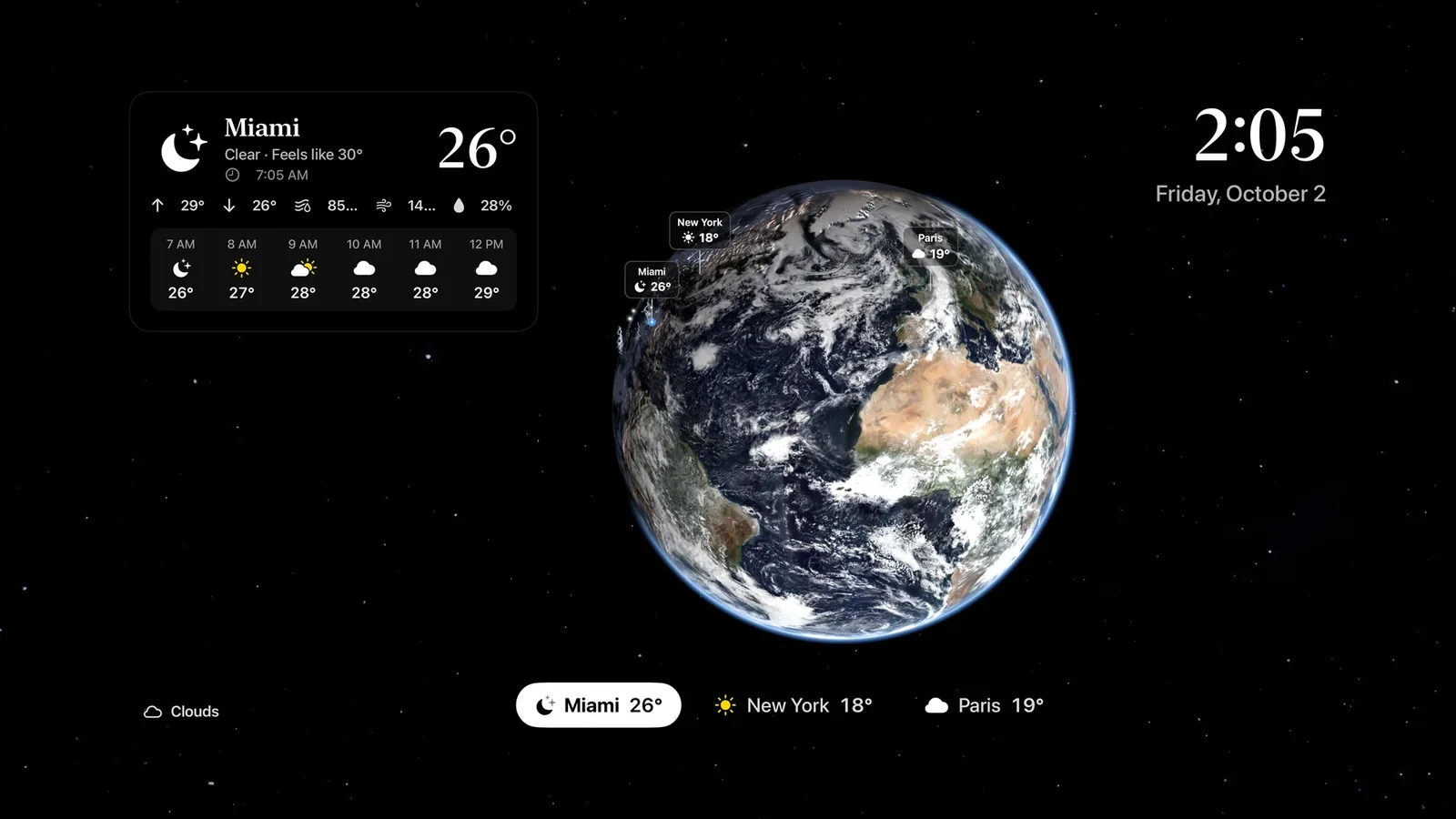
What you see
- The Earth, the same photoreal globe as on iPhone, with real clouds and city lights on the night side. It turns slowly on its own.
- A weather card with now and the next hours for the selected city.
- A clock with the time and date.
- Your cities in a strip along the bottom. Move between them with the remote and the Earth flies to the one you pick.
Left alone, it is a living screensaver: a real planet with real weather, quietly turning.
Using the Siri Remote
| On the remote | What happens |
|---|---|
| Swipe the touch surface | Turns the Earth, the same way a drag does on iPhone. |
| Press Play/Pause | Stops or resumes the slow rotation. A notice confirms which. |
| Hold Play/Pause | Goes back to the starting view, with your city centred. |
| Click up or down | Reaches the + and − zoom buttons in the bottom-right corner. |
| Click the touch surface | Opens the menu with layers, storms, the solar system and settings. |
| Back | Closes the menu, or steps out of the solar system. |
The Earth starts in free view. A city tour, which flies from city to city by itself, is an option you can switch on. Settings › Rotation speed sets how fast it turns: Very slow, Slow or Normal.
Weather layers
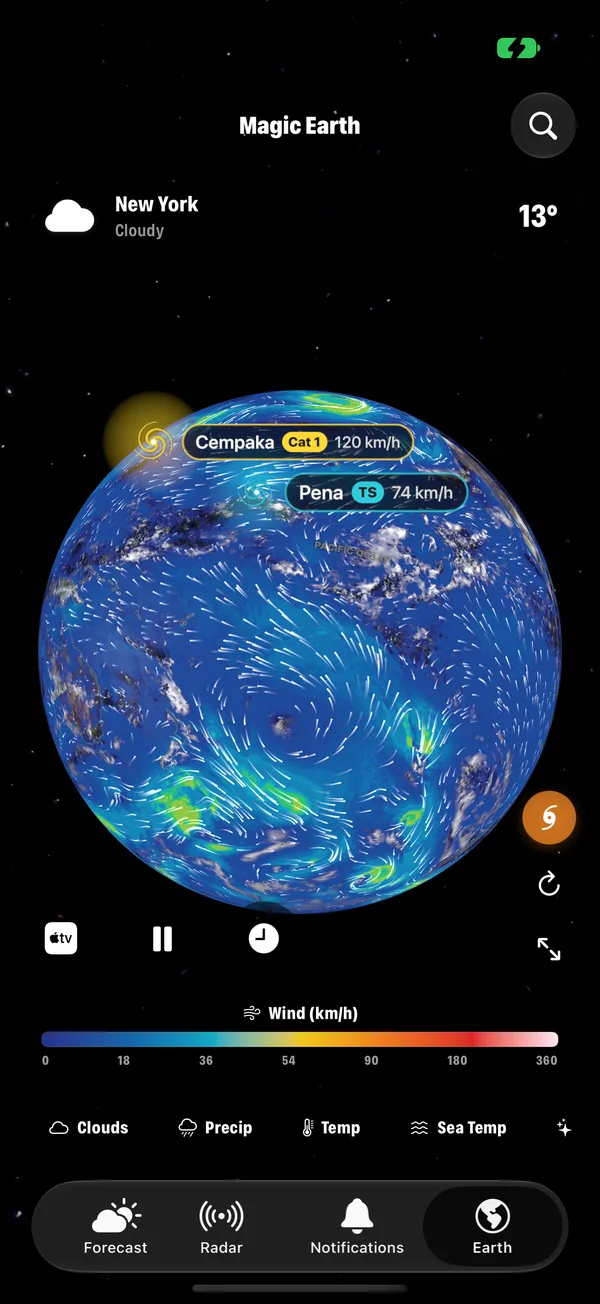
The same layers as on iPhone: Clouds, Rain, Temperature, Wind, Aurora, UV, Ozone, Satellites, Earthquakes and Fires. Clouds is free; the rest are part of Premium. What each layer shows.
Storms on the big screen
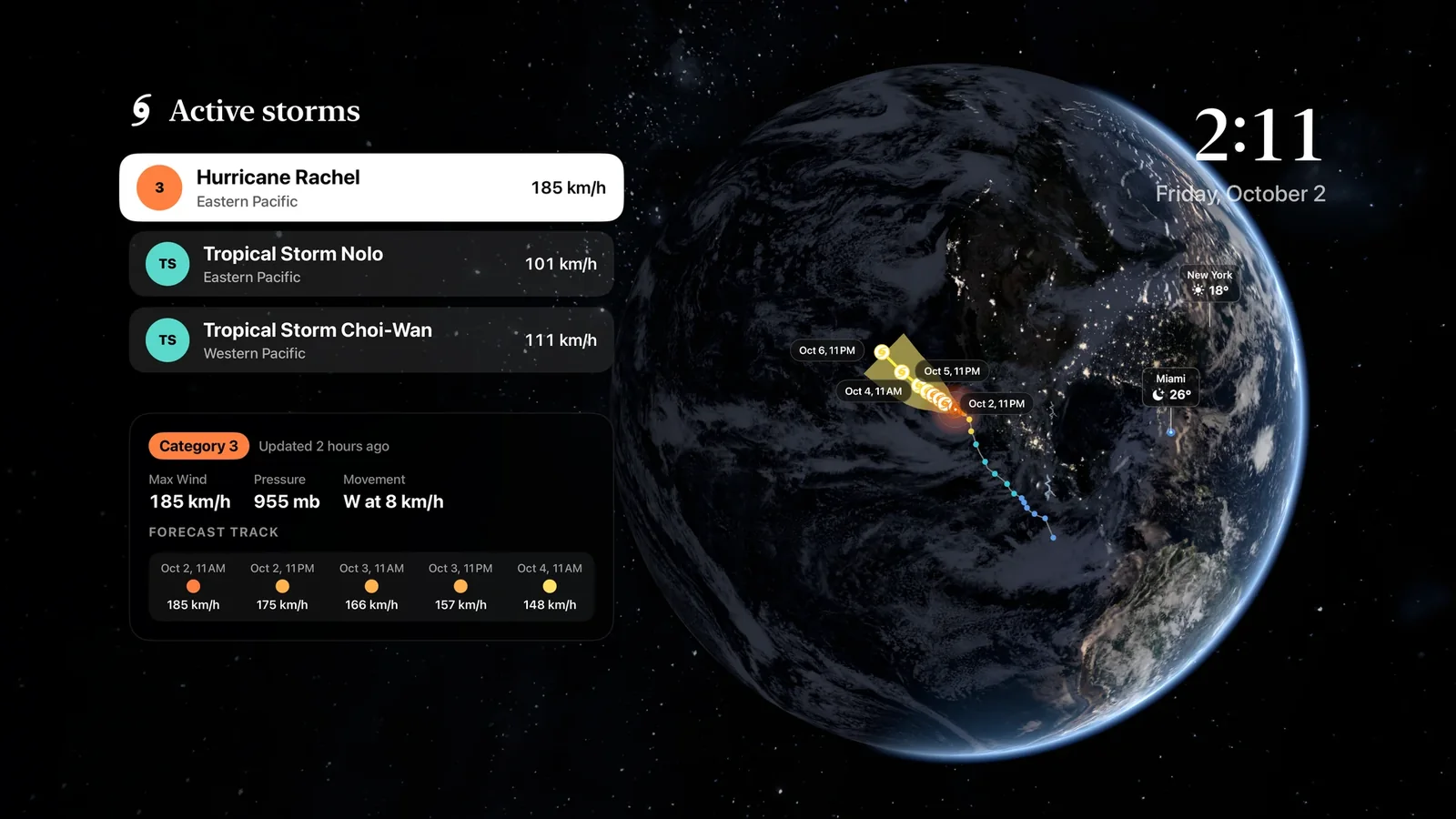
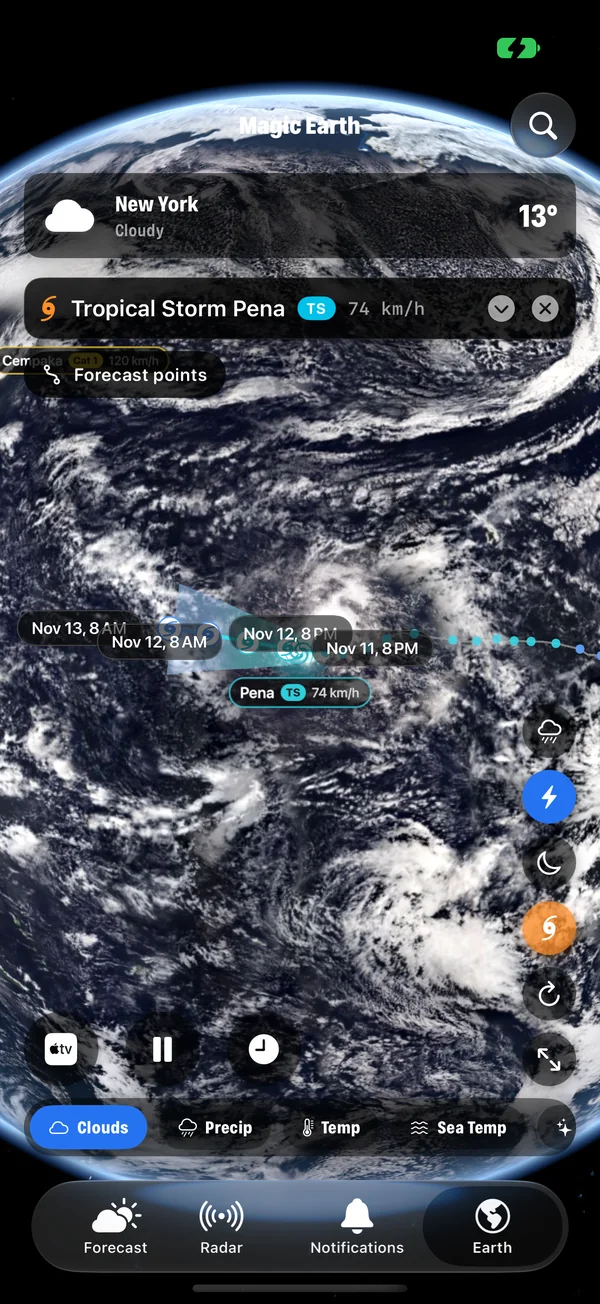
Open the menu and choose Storms. The panel lists every active tropical storm. Pick one and the Earth flies to it, with its track and cone. The card shows the category, winds, pressure, movement, the forecast points and how close it will come to your cities. More on tracking storms.
The solar system
From the menu you can leave the Earth and explore the solar system, with the planets on their orbits. Part of Premium.
Ambient sounds
Choose a soundscape to play while the planet turns: rain, ocean, wind, a summer night, deep space or a thunderstorm. It turns the TV into something closer to a window than a screen.
The temperature on the icon
The app icon on the Apple TV home screen can show the current temperature for your location or your first city. Switch it on in Settings › App Icon Badge.
Good for OLED screens
The clock, the cards and the buttons drift by a few pixels over time, so nothing sits in exactly the same place for hours. This protects OLED televisions from burn-in when the app is left running.
Or send it from your iPhone
You do not need the Apple TV app to see the Earth on a TV. On the iPhone's Earth tab, tap the Apple TV button at the bottom left and choose your TV. Magic Weather draws the Earth for the TV's own screen over AirPlay, and you control it from the phone, including pinch to zoom.
Free and Premium
The Earth with clouds, the clock and your cities are free. Additional layers and the solar system are part of Premium, which is shared with iPhone, iPad and Mac through your Apple Account. If Premium does not appear on the TV, use Restore Purchase in the app's settings.
Common questions
Is there a weather app for Apple TV?
Yes. Magic Weather has a native Apple TV app with a photoreal 3D Earth, live weather layers, active storms, a clock and the weather for your cities.
Do I need to buy Premium again for Apple TV?
No. It is the same app on the App Store, so Premium bought on iPhone, iPad or Mac is available on Apple TV with the same Apple Account. Use Restore Purchase if it does not appear straight away.
Can I zoom the Earth with the Siri Remote?
The Siri Remote cannot pinch, so the TV app has on-screen + and − buttons in the bottom-right corner. Click up or down on the remote to reach them.
Can I show the Earth from my iPhone on a TV instead?
Yes. On the iPhone's Earth tab, tap the Apple TV button and choose your TV. The Earth is drawn for the TV's own screen over AirPlay.
Every Earth layer in Magic Weather, explained
Clouds, rain, temperature, wind, pressure, sea temperature, aurora, UV, ozone, satellites, earthquakes and fires: what each Magic Weather layer shows.
How to track hurricanes and tropical storms on a 3D globe
Follow every active hurricane, typhoon and tropical storm on a live 3D Earth with Magic Weather: track, cone, wind and pressure on iPhone, Mac and Apple TV.
Turn your iPhone into a bedside Earth clock with Nightstand
Nightstand turns the Magic Weather Earth into a bedside clock with tomorrow's weather. It dims at night and starts by itself on a charger, held sideways.