Open the Notifications tab in Magic Weather, make sure Alerts are on, allow notifications when asked, and set the alert style to Balanced or Everything. Then open the Precipitation category and switch on the rain alerts you want, such as rain starting soon. Set location access to Always so alerts keep working while the app is closed.
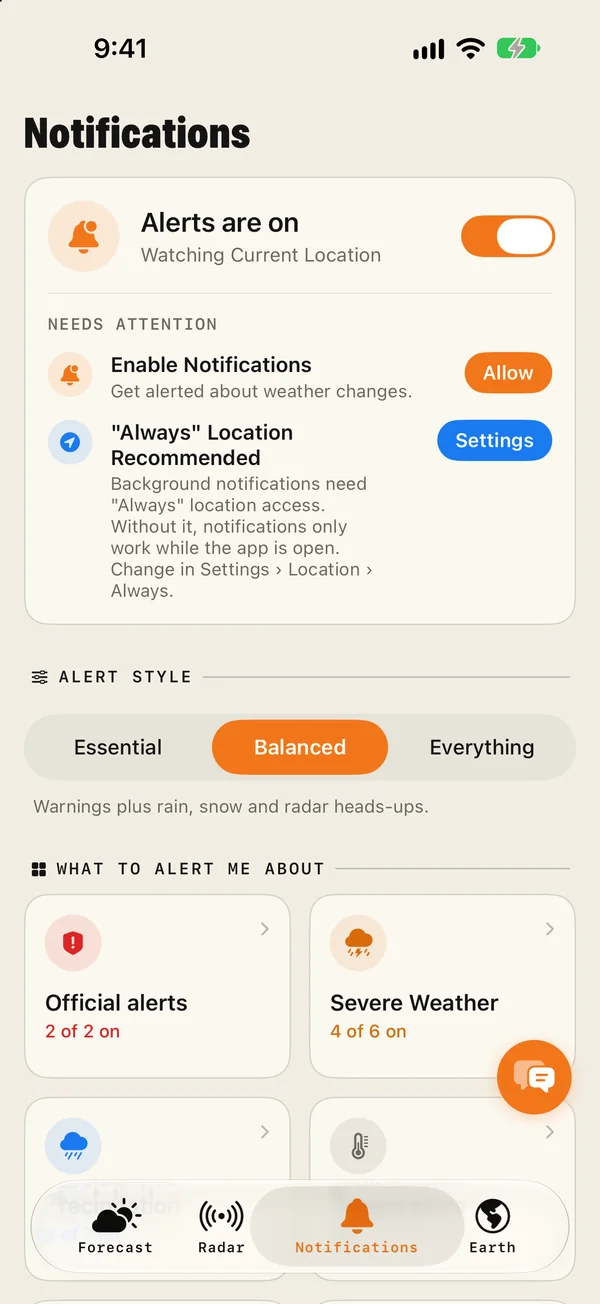
Set it up in two minutes
- Open the Notifications tab. The card at the top should say Alerts are on, with the place being watched underneath. If it is off, switch it on.
- Allow notifications. If the tab shows "Needs attention", tap Allow beside Enable Notifications and confirm in the iOS prompt.
- Choose an alert style. Pick Balanced or Everything. Essential covers official warnings and dangerous weather only, and leaves ordinary rain out.
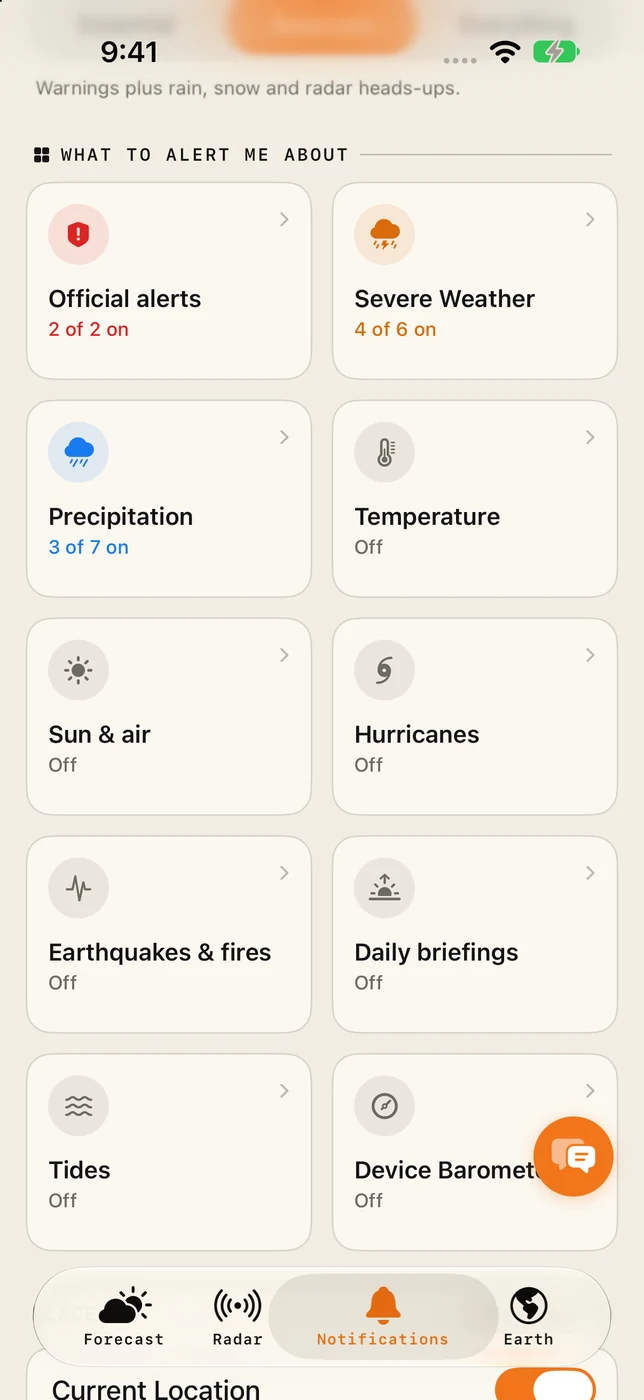
- Open the Precipitation tile under "What to alert me about". Switch on the alerts you want, one by one.
- Set location to Always (optional, recommended). Tap Settings beside "Always" Location and choose Always, so alerts follow you while the app is closed.
The three alert styles
| Style | What you get | Choose it if |
|---|---|---|
| Essential | Official warnings and dangerous weather only. | You want your phone quiet unless it matters. |
| Balanced | Everything in Essential, plus rain, snow and radar heads-ups. | You want to know before you get wet. The usual choice. |
| Everything | Every alert, summary and reminder. | You like to know what the sky is doing all day. |
The style is a starting point. After choosing one, you can still open each category and switch individual alerts on or off.
Which rain alerts there are
- Rain starting soon tells you shortly before rain reaches your location.
- Rain stopping soon tells you when a dry gap is about to open.
- Rain expected gives earlier notice of rain later in the day.
- Snow has the same set: expected, starting and stopping.
The Precipitation tile also has a radar heads-up for rain approaching on the radar. If you like a fixed routine, the Daily briefings tile has an umbrella reminder at an hour you choose.
Why "Always" location matters
With location set to While Using the App, Magic Weather only knows where you were the last time you opened it. If you then drive to another town, the alerts are still for the old place.
With Always, the app can update your position in the background, so the alert is for where you actually are. It uses the low-power location service designed for this, not continuous GPS.
If you would rather not share your location at all, choose a city instead. Alerts will then be for that place.
A Live Activity follows the rain
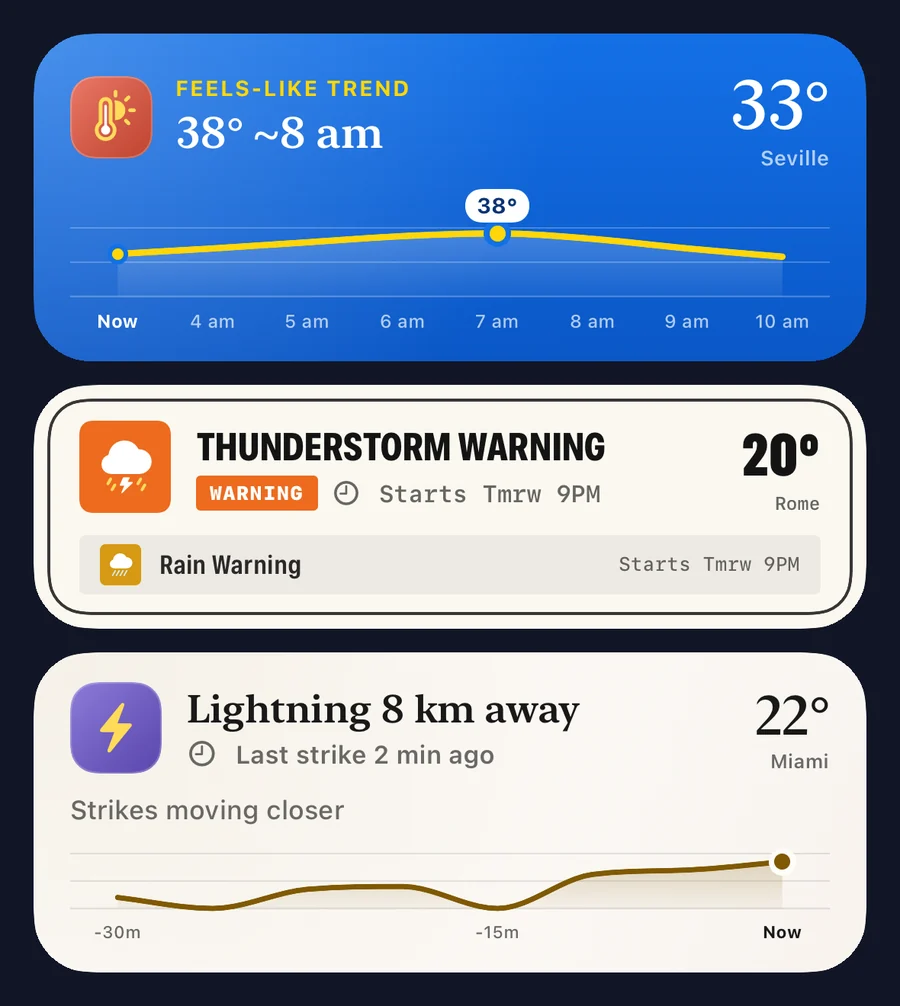
When rain, snow or a storm is on its way, a Live Activity appears on the Lock Screen and in the Dynamic Island and stays until it has passed. You can see when it starts and how heavy it will be without unlocking the phone.
Alerts for more than one place
The card at the top of the Notifications tab shows which place is being watched. By default that is your current location. Saved places that have an active alert are marked with a triangle in your places list, so you can see at a glance when something is happening where your family lives or where you are travelling next.
If alerts do not arrive
- iOS Settings › Notifications › Magic Weather: Allow Notifications should be on, with Lock Screen, Notification Centre and Banners selected.
- Focus modes. Do Not Disturb, Sleep and Work silence most apps. Add Magic Weather to the allowed apps for the Focus if you want alerts to come through.
- Notification summary. If you use Scheduled Summary, make sure Magic Weather is not held back for it.
- In the app: Alerts are on, the style is Balanced or Everything, and the alerts inside the Precipitation tile are switched on.
- The place. Check that the watched place is the one you expect.
Reading what the alert is telling you
An alert is the start of a decision. For the next step:
- Open the Radar tab to see how big the shower is and which way it is moving. How to read radar.
- Look at the weathergraph to see how long it will last.
- Check the chance and the amount together. What a chance of rain means.
Common questions
Why am I not getting rain alerts?
Check four things: notifications are allowed for Magic Weather in iOS Settings, Alerts are on in the app's Notifications tab, the alert style is Balanced or Everything, and location access is set to Always. A Focus mode such as Sleep or Do Not Disturb can also silence them.
How early do rain alerts arrive?
Short-notice alerts are sent when rain is expected to reach you soon, typically within the hour. Alerts for rain later in the day arrive earlier. Timing is most precise where radar coverage is good.
Do rain alerts work when the app is closed?
Yes, as long as notifications are allowed. For alerts that follow you as you move, location access needs to be set to Always. With While Using, the app only knows where you were when you last opened it.
Will rain alerts drain my battery?
No. Alerts are delivered as push notifications, so the app does not need to run in the background to send them.
Severe weather alerts on iPhone: how to set them up properly
Set up severe weather alerts on iPhone with Magic Weather: official warnings, storms, lightning, wind and hurricanes, for home and every place you watch.
Weather in the Dynamic Island: how Live Activities follow the rain
Magic Weather's Live Activities put rain, wind, heat, lightning and warnings on your iPhone Lock Screen and Dynamic Island until the weather has passed.
How to read weather radar: colours, movement and what radar misses
Radar colours show how hard it is raining, and the loop shows where the rain is heading. Learn to read both, and the blind spots every radar has.